
 Sweden
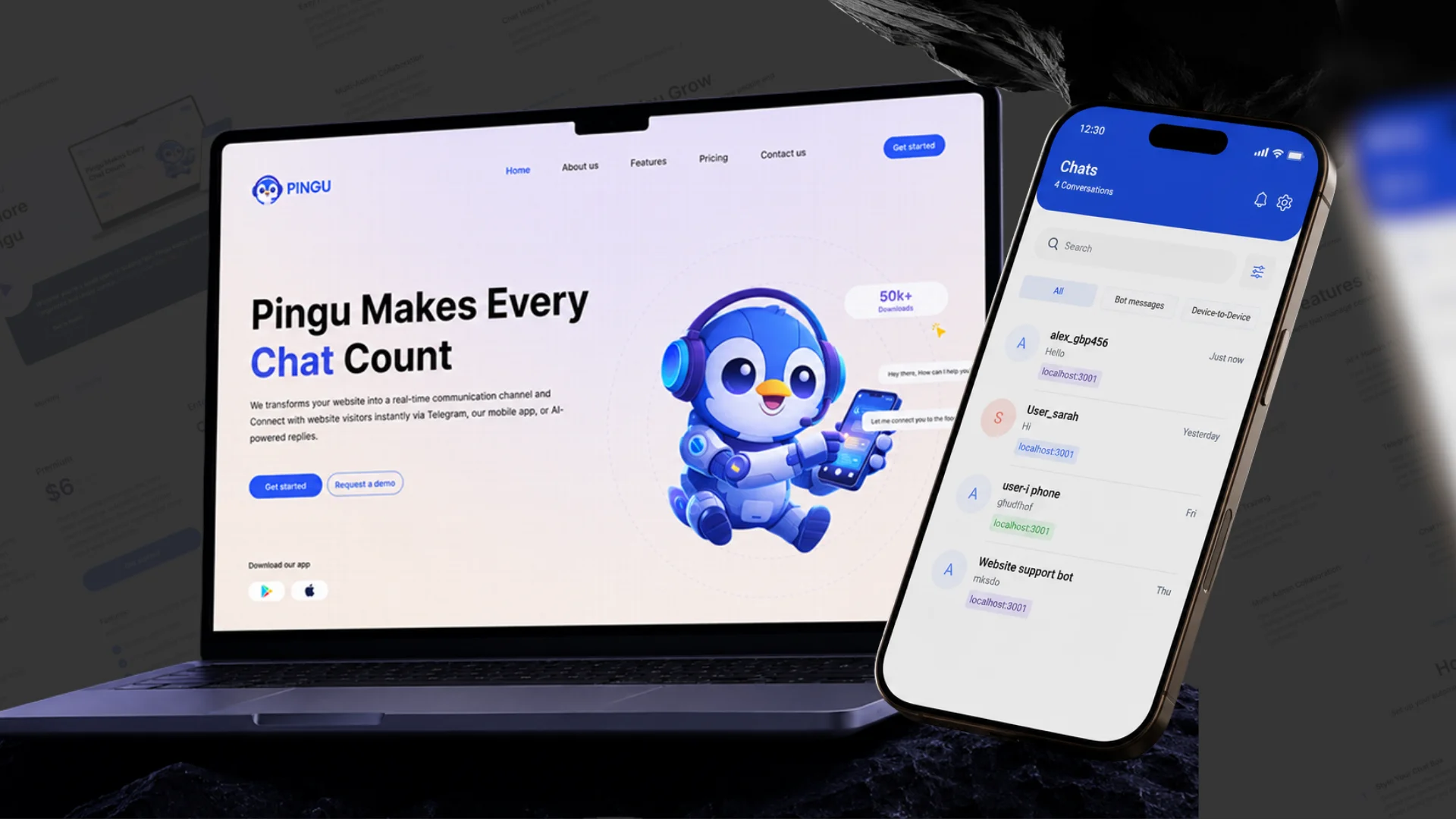
 Pingu Overview
Every day, businesses lose potential customers because questions are not answered quickly enough. Website visitors wait for replies, support teams move between different tools, and important conversations are missed when no one is available.
The problem is not a lack of communication channels. It is the fragmented, manual, and inconsistent way customer conversations are handled across websites, mobile apps, Telegram, email, and internal support teams.
Pingu solves this by turning a business website into an AI-powered customer communication platform. It combines a smart chat widget, website knowledge learning, AI responses, human support, mobile inbox access, internal knowledge base, analytics, and future voice/avatar capabilities into one connected platform.
For small businesses, growing teams, and customer-facing companies, Pingu provides what is often missing: instant support, organized conversations, easy setup, and a reliable way to answer customers 24/7 without depending only on manual support staff.
No more missed messages. No more scattered conversations. No more slow manual replies. Just a simple, intelligent, and scalable customer support environment designed to help businesses respond faster and grow with confidence.
Problem
Many businesses want to support customers quickly, but their current communication process is often slow, fragmented, and difficult to manage.
- Slow Customer Responses
- Scattered Communication Channels
- Manual Website Support
- Difficult AI Training
- Limited Internal Knowledge Access
- Lack of Usage Visibility
Customers expect quick answers, but support teams are not always available. Delayed responses can lead to lost leads, poor customer experience, and missed sales opportunities.
Customer messages can come from websites, chat apps, Telegram, email, and mobile channels. Without one central system, teams lose visibility and struggle to track conversations properly.
Many businesses rely on manual replies for repeated questions about services, pricing, contact details, policies, or product information. This increases workload and slows down the support process.
Traditional chatbot setup can be complex. Businesses often need a simple way to teach the assistant using their website URL, documents, FAQs, and business content.
Teams often store company information across documents, folders, policies, and guides. Employees waste time searching for answers instead of accessing reliable information instantly.
Super admins need better visibility into how customers sign up, log in, onboard, and use the platform. Without analytics, it is difficult to understand customer behavior and improve the product experience.
Pingu was designed to address these problems by creating one intelligent platform for automated customer support, human handover, website knowledge, and connected admin operations.
Solution
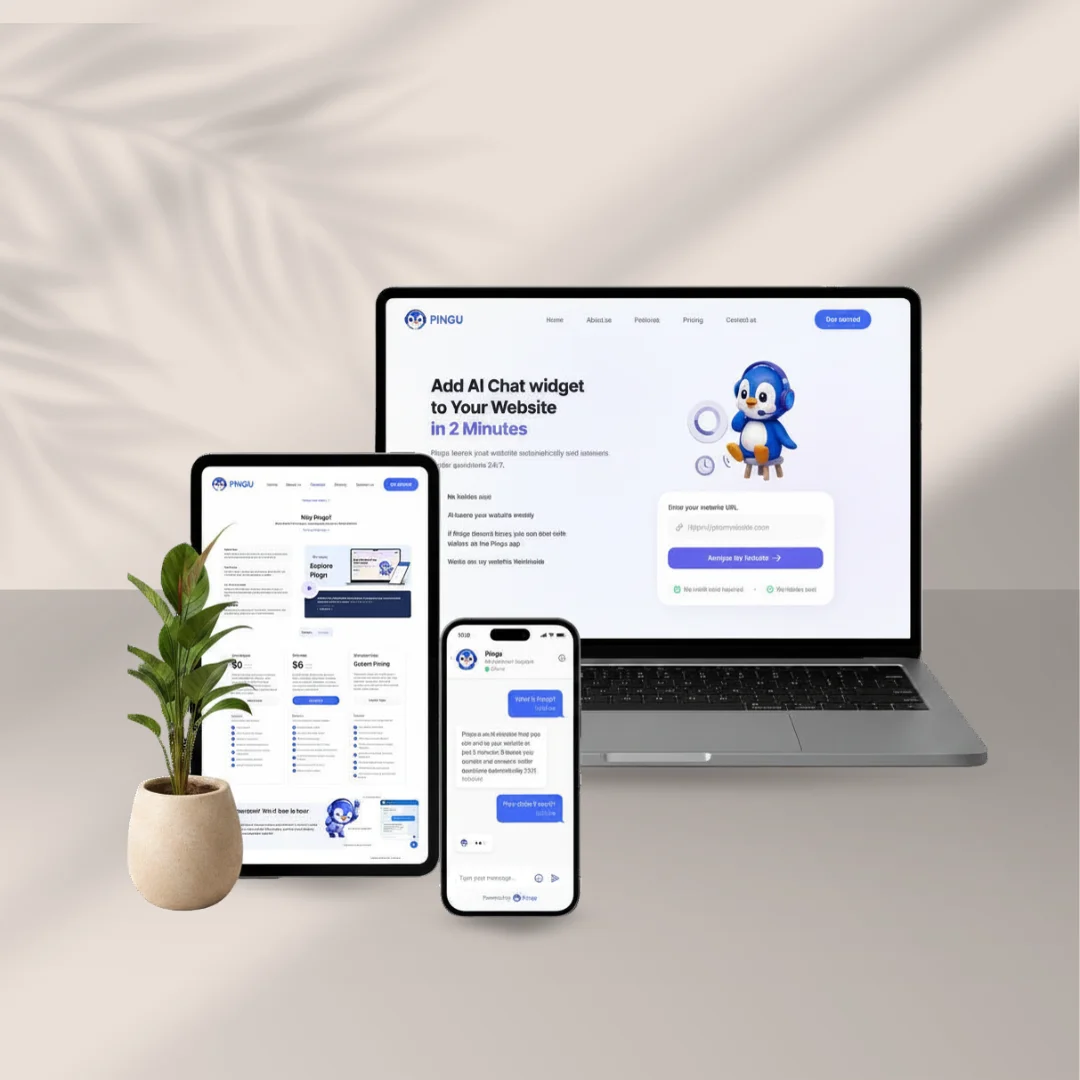
Pingu unifies AI-powered customer communication into a single platform that is easy to set up, easy to manage, and suitable for businesses that need fast customer support without complex technical work.
- AI Chat Widget
- Website Knowledge Learning
- AI + Human Hybrid Support
- Pingu Mobile Application
- Internal AI Knowledge Base
- Analytics and Super Admin Visibility
A customizable chat widget can be added to a client website. Visitors can ask questions directly on the website and receive instant answers using AI support.
Pingu can learn from a website URL and use extracted website information as a knowledge source for AI responses. This helps the assistant answer based on business-specific content.
The AI assistant can handle common customer questions, while admins can join conversations when human assistance is required. This creates a balance between automation and personal support.
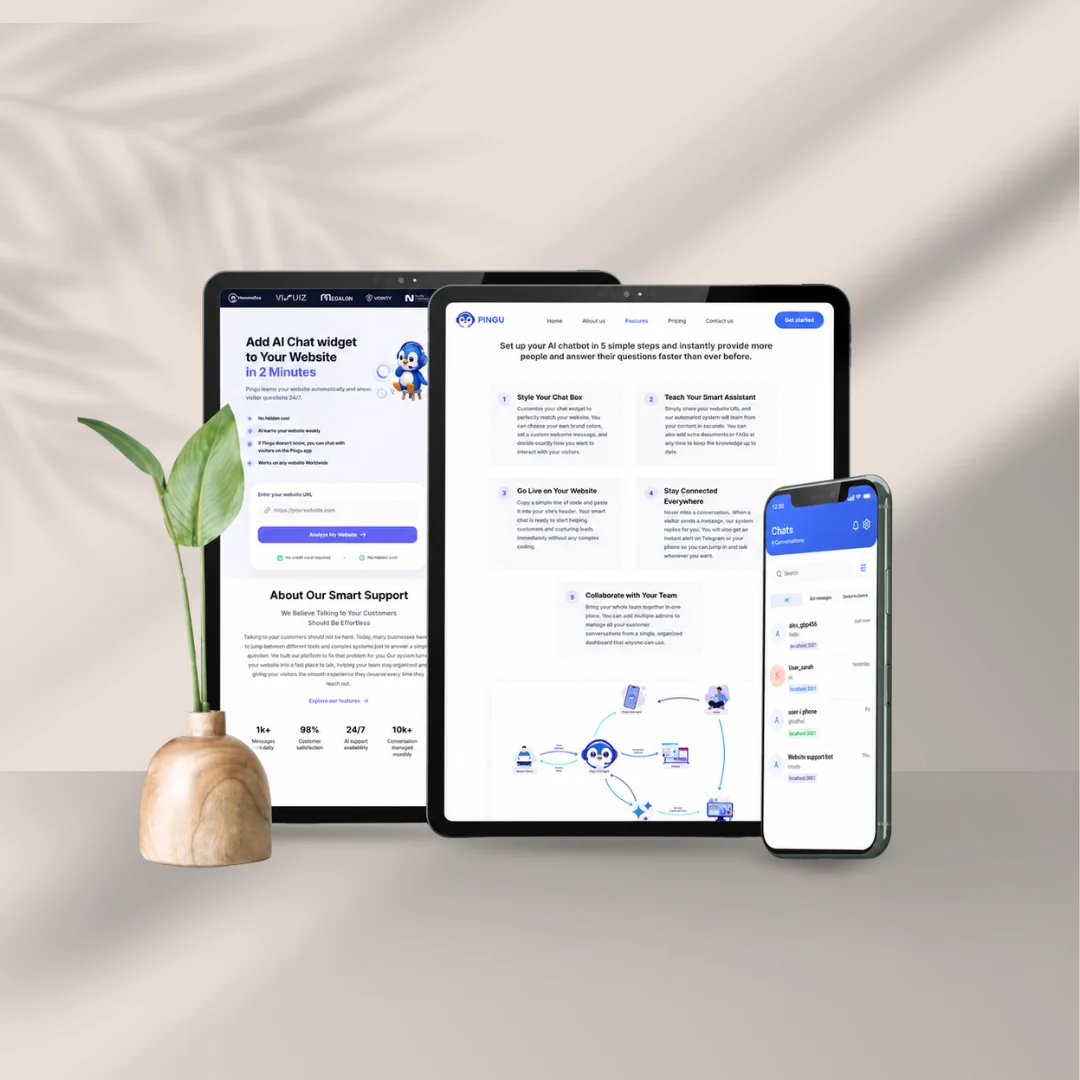
Support teams can manage customer conversations from mobile devices, receive instant notifications, and stay connected even when they are away from the desktop dashboard.
Authorized internal users can access company knowledge securely using internal AI. This helps teams answer internal questions based on approved documents, policies, FAQs, and guides.
Matomo analytics can be used to help super admins understand signup, login, onboarding, and platform usage behavior while supporting privacy-focused tracking.
By combining these capabilities, Pingu helps businesses create a faster, smarter, and more organized support experience for both customers and internal teams.
Why It Stands Out
- Fast and Easy Setup
- AI and Human Support Together
- Designed for Customer Growth
- Centralized Communication
- Internal and External Knowledge Support
- Scalable Product Direction
A business can start by adding a website URL, preparing the chat widget, and placing a simple code snippet on its website.
Pingu does not depend only on automation. Human agents can join conversations when personal support is needed.
The platform helps capture leads, answer questions faster, and reduce missed opportunities.
Website chat, mobile app support, Telegram alerts, and dashboard management can work together in one ecosystem.
Pingu can support both customer-facing questions and internal team knowledge needs through separate knowledge flows.
The platform can grow into voice support, avatar interaction, subscription billing, analytics, and enterprise integrations.
Strategy and Approach
Pingu should be developed with a focus on simplicity, reliability, automation, and scalable customer communication.
- Understanding the Real Pain Points
- Designing for Simplicity
- Engineering for Accuracy
- Building for Team Collaboration
- Keeping Privacy and Security First
- Looking Ahead
The product focuses on problems businesses face every day: slow replies, missed messages, scattered conversations, and difficulty keeping AI knowledge accurate.
The setup flow should remain simple for non-technical users. Businesses should be able to add their website URL, customize the widget, and start using AI support quickly.
AI responses should be based on website-specific and company-approved knowledge. RAG-based retrieval, confidence scoring, and fallback handling should reduce inaccurate answers.
Admins and support agents should be able to work together through the dashboard, mobile app, internal notes, ticketing, and conversation history.
GDPR, session-based validation, secure authentication, audit logs, and data minimization should be included as core platform principles.
The platform can expand with voice interaction, Synthesia-powered avatar responses, rich media communication, CRM integrations, advanced analytics, and enterprise-grade subscription plans.
Core Features
- Customizable Chat Widget
- 24/7 AI Assistant
- AI-Driven Knowledge Base
- RAG-Based Response Generation
- Easy AI Training
- AI + Human Hybrid Support
- Mobile App and Telegram Inbox
- Organized Conversations
- Lead Capture and Follow-Up
- Super Admin Analytics Using Matomo
- SEO Optimization
- Security and Authentication
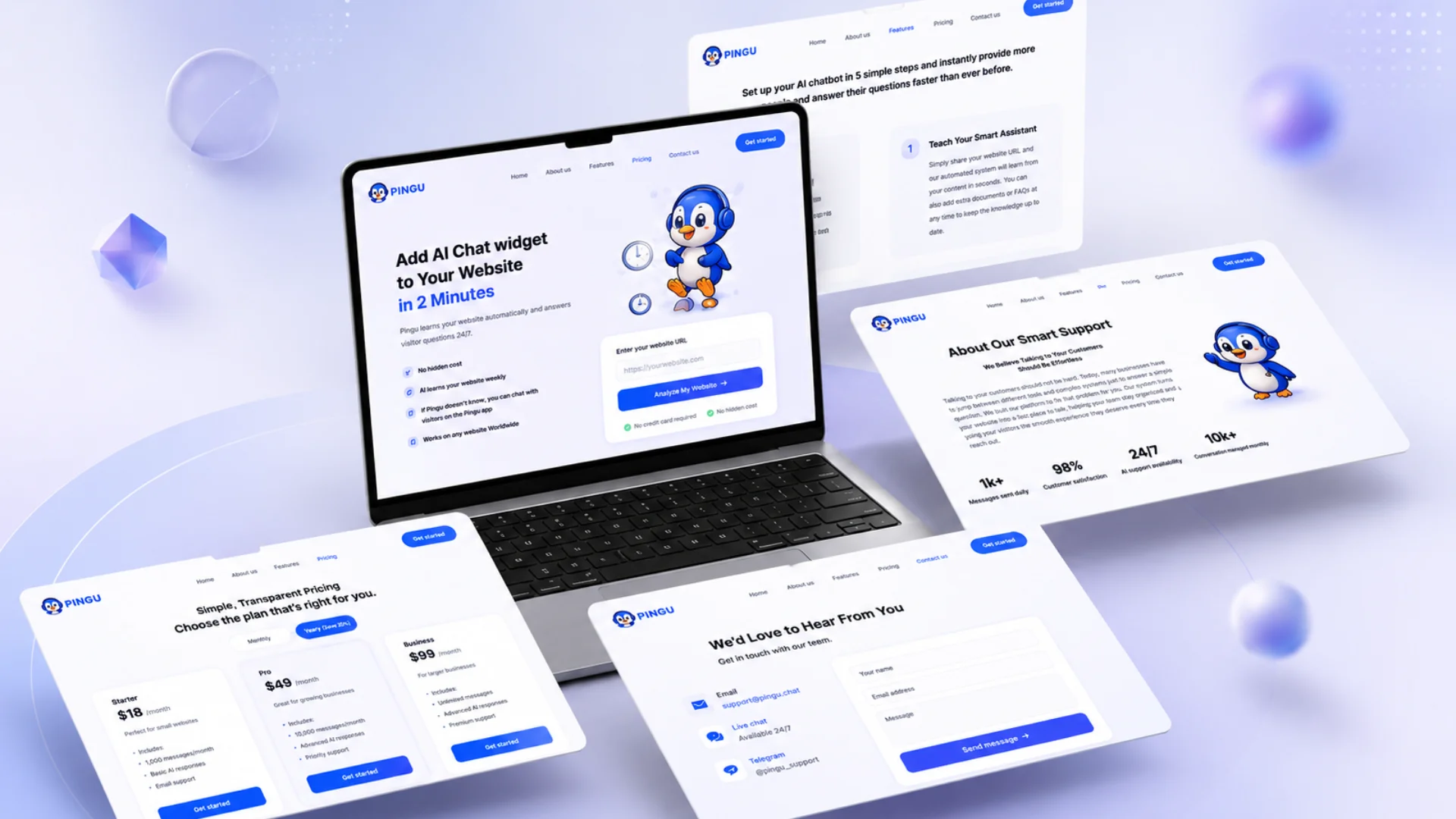
Businesses can customize the widget appearance, colors, greeting messages, character style, and position to match their website branding.
The AI assistant can answer visitor questions instantly, day or night, reducing dependency on manual support for repeated questions.
A separate internal knowledge base helps admins analyze website information and use website-specific knowledge to support accurate AI responses.
The AI retrieves relevant company knowledge before generating responses, reducing hallucinations and keeping answers grounded in approved content.
Admins can train the assistant using website URLs, documents, PDFs, FAQs, product information, and additional business data.
Admins can join conversations when needed, especially when the AI cannot answer confidently or when customers request human assistance.
Support teams can receive notifications and reply to customers through the Pingu mobile app or connected channels such as Telegram.
Customer conversations are managed in one place, making it easier to view history, continue discussions, and avoid confusion across team members.
Pingu can capture customer details when visitors request support, ask complex questions, or show interest in the business.
Matomo can capture platform usage insights such as page views, referrers, screen resolution, local timezone, downloads, outlinks, page speed, geolocation, browser language, and user agent details.
The Pingu application remains lightweight and search-friendly by monitoring page size, response time, minified assets, page requests, images, and page speed.
Session-based security codes, role-based access, encrypted communication, and secure authentication help protect internal tools and platform access.
your project into a success story.